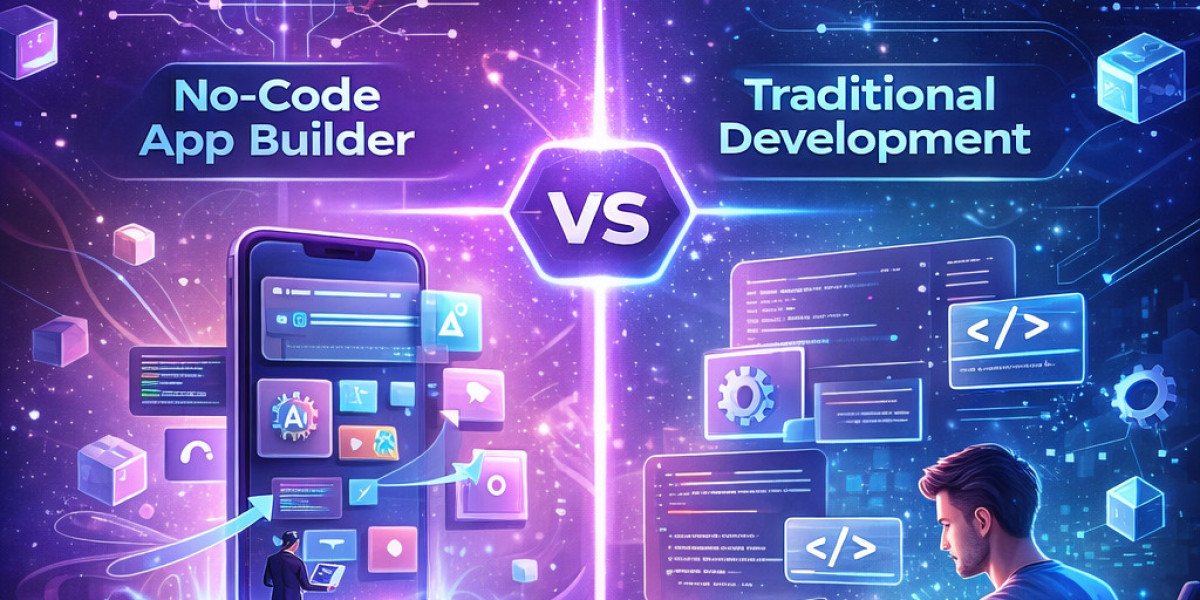

Building mobile and web applications has changed a lot over the years. From complex coding environments to drag-and-drop tools, the options available today can feel overwhelming. One of the biggest decisions is choosing between a no-code app builder and traditional development. Both approaches have unique strengths, limitations, and ideal use cases.
This guide breaks everything down in a simple and informal way so it’s easier to decide what fits best.
What Is a No-Code App Builder?
A no-code app builder is a platform that allows app creation without writing code. Instead of programming, users rely on visual interfaces, templates, and pre-built components. Think of it like building with blocks—just drag, drop, and configure.
These platforms are popular among entrepreneurs, small businesses, and even teams that want to build apps quickly without hiring developers.
What Is Traditional Development?
Traditional development involves writing code using programming languages like Swift for iOS or Kotlin for Android. This approach requires technical skills or professional developers.
Custom development gives full control over the app’s design, features, and performance. That’s why large companies and complex projects still rely on this method.
Key Differences Between No-Code and Traditional Development
1. Speed of Development
A no-code app builder wins easily when it comes to speed. Apps can be built in days or weeks instead of months.
Traditional development takes longer because everything is created from scratch—design, coding, testing, and deployment.
If the goal is to launch quickly or test an idea, no-code is the faster route.
2. Cost
Cost is one of the biggest deciding factors.
- A no-code app builder is budget-friendly. Subscription pricing replaces large upfront development costs.
- Traditional development can get expensive. Hiring developers or working with a kotlin app development company or teams offering swift app development services increases the budget significantly.
For startups or small businesses, no-code tools are often more accessible.
3. Customization and Flexibility
Traditional development offers complete freedom. Every feature, animation, and integration can be customized exactly as needed.
A no-code app builder has limitations. Features depend on what the platform supports. Customization exists but within boundaries.
For simple apps, this limitation may not matter. For complex apps, it becomes a challenge.
4. Performance
Apps built with traditional methods often perform better, especially under heavy usage.
A no-code app builder may not always match that level of optimization. Performance depends on the platform’s infrastructure.
For basic apps like internal tools or MVPs, performance is usually sufficient.
5. Scalability
Scalability is where traditional development shines.
Custom-built apps can grow without major limitations. Developers can optimize databases, add advanced features, and handle large user bases.
A no-code app builder may struggle as the app grows. Some platforms handle scaling well, but others can become restrictive.

6. Technical Skills Required
No-code tools require little to no technical knowledge. Anyone can start building with minimal learning.
Traditional development requires expertise in programming, frameworks, and system architecture.
This makes a no-code app builder ideal for non-developers or teams without technical resources.
When to Choose a No-Code App Builder
A no-code app builder is a great option in several situations:
- Building a prototype or MVP
- Launching quickly with limited budget
- Creating simple apps like booking systems or dashboards
- Testing business ideas before investing heavily
- Internal business tools
For example, early-stage founders often use no-code tools before moving to custom development later.
When to Choose Traditional Development
Traditional development is better for:
- Complex applications with advanced logic
- High-performance requirements
- Large-scale platforms with many users
- Apps needing deep integrations
- Unique UI/UX requirements
Working with experts offering swift app development services or a kotlin app development company makes sense in these cases.
Hybrid Approach: The Best of Both Worlds
Many businesses now combine both approaches.
Start with a no-code app builder to validate the idea. Once the app gains traction, switch to traditional development for scalability and performance.
This approach reduces risk and saves time in the early stages.
Challenges to Keep in Mind
No-Code Challenges:
- Limited flexibility
- Platform dependency
- Scaling limitations
- Restricted integrations
Traditional Development Challenges:
- High cost
- Longer development time
- Requires skilled developers
- Maintenance complexity
Understanding these trade-offs helps avoid unexpected issues later.
Real-World Perspective
Platforms like LastApp Ai reflect how modern tools are simplifying app creation. While such platforms highlight the power of no-code solutions, traditional coding still plays a major role in building advanced applications.
Choosing between the two isn’t about which is better—it’s about what fits the project’s needs.
Final Thoughts
The choice between a no-code app builder and traditional development depends on goals, budget, and technical requirements.
- Need speed and simplicity? Go with no-code.
- Need control and scalability? Choose traditional development.
Both approaches are valuable, and the smartest strategy often involves using each at the right stage.
FAQs
1. Is a no-code app builder suitable for professional apps?
Yes, a no-code app builder can create professional apps, especially for small to medium projects. Limitations appear in highly complex applications.
2. Can a no-code app builder replace developers completely?
Not entirely. A no-code app builder reduces dependency on developers but does not replace the need for technical expertise in advanced projects.
3. Which is cheaper: no-code or traditional development?
A no-code app builder is usually cheaper upfront. Traditional development becomes expensive due to hiring and maintenance costs.
4. Can an app built with no-code scale?
Some platforms allow scaling, but limitations exist. Large-scale apps often require traditional development eventually.
5. Should a startup start with no-code or traditional development?
Starting with a no-code app builder is often smarter. It allows quick testing before investing in full-scale development.
6. Is switching from no-code to traditional development possible?
Yes, many businesses start with no-code and later rebuild using traditional methods for better performance and flexibility.